
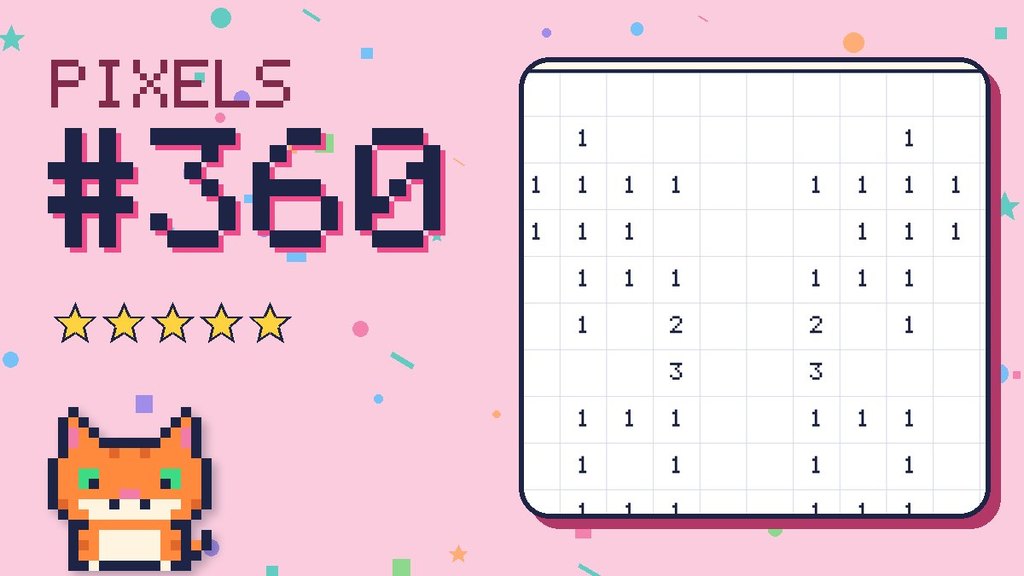
Challenge type: Pixel Puzzles · Difficulty: ★★★★★ Super tricky · Grid: 16 × 16 · Colours: 4
Every picture on a computer screen is made of tiny squares called pixels. Colour the squares by number to reveal the hidden picture!
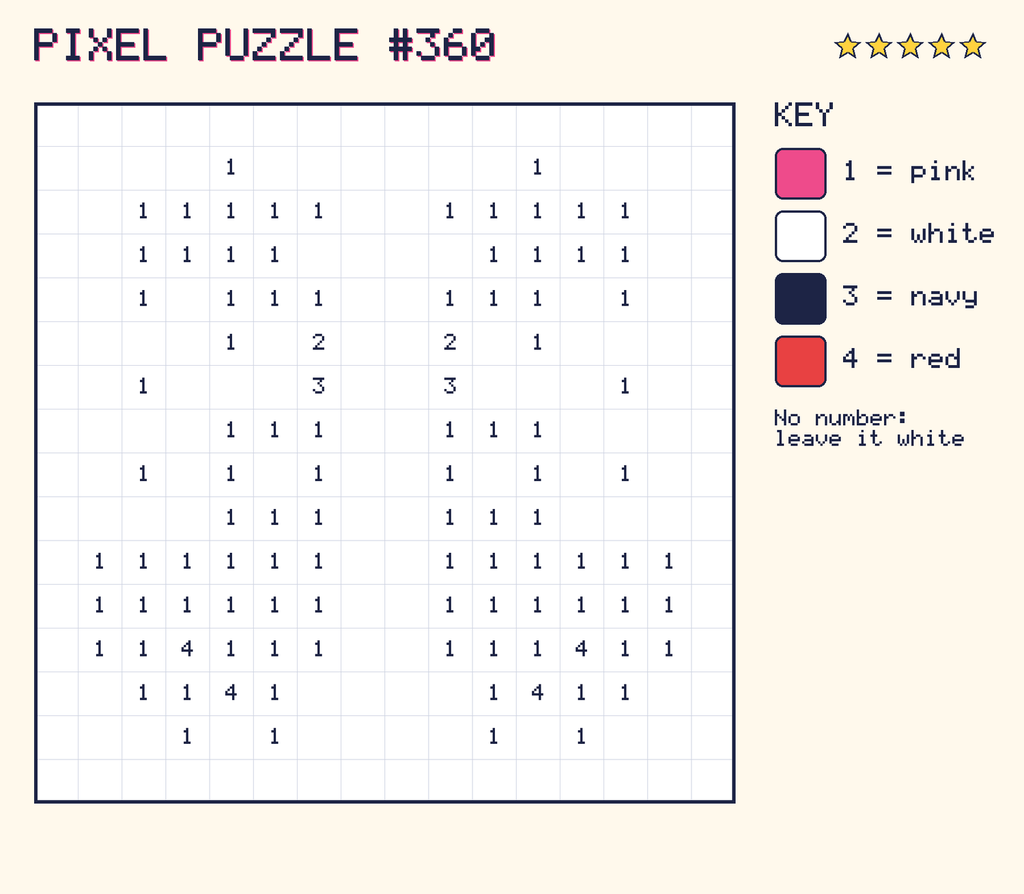
The colour key
- 1 = pink
- 2 = white
- 3 = navy
- 4 = red
- 0 (shown as ·) = leave it white
The number grid
Here’s the same grid as a table. You can copy it onto squared paper, one number per square.
| Row | 1 | 2 | 3 | 4 | 5 | 6 | 7 | 8 | 9 | 10 | 11 | 12 | 13 | 14 | 15 | 16 |
|---|---|---|---|---|---|---|---|---|---|---|---|---|---|---|---|---|
| 1 | · | · | · | · | · | · | · | · | · | · | · | · | · | · | · | · |
| 2 | · | · | · | · | 1 | · | · | · | · | · | · | 1 | · | · | · | · |
| 3 | · | · | 1 | 1 | 1 | 1 | 1 | · | · | 1 | 1 | 1 | 1 | 1 | · | · |
| 4 | · | · | 1 | 1 | 1 | 1 | · | · | · | · | 1 | 1 | 1 | 1 | · | · |
| 5 | · | · | 1 | · | 1 | 1 | 1 | · | · | 1 | 1 | 1 | · | 1 | · | · |
| 6 | · | · | · | · | 1 | · | 2 | · | · | 2 | · | 1 | · | · | · | · |
| 7 | · | · | 1 | · | · | · | 3 | · | · | 3 | · | · | · | 1 | · | · |
| 8 | · | · | · | · | 1 | 1 | 1 | · | · | 1 | 1 | 1 | · | · | · | · |
| 9 | · | · | 1 | · | 1 | · | 1 | · | · | 1 | · | 1 | · | 1 | · | · |
| 10 | · | · | · | · | 1 | 1 | 1 | · | · | 1 | 1 | 1 | · | · | · | · |
| 11 | · | 1 | 1 | 1 | 1 | 1 | 1 | · | · | 1 | 1 | 1 | 1 | 1 | 1 | · |
| 12 | · | 1 | 1 | 1 | 1 | 1 | 1 | · | · | 1 | 1 | 1 | 1 | 1 | 1 | · |
| 13 | · | 1 | 1 | 4 | 1 | 1 | 1 | · | · | 1 | 1 | 1 | 4 | 1 | 1 | · |
| 14 | · | · | 1 | 1 | 4 | 1 | · | · | · | · | 1 | 4 | 1 | 1 | · | · |
| 15 | · | · | · | 1 | · | 1 | · | · | · | · | 1 | · | 1 | · | · | · |
| 16 | · | · | · | · | · | · | · | · | · | · | · | · | · | · | · | · |
Need a hint?
The picture is a pixel creature! Start with the colour that appears most, then fill in the details.
Grown-ups: Print the grid picture or copy it onto squared paper. This is exactly how images are stored: a grid of numbers, where each number means a colour. It’s a lovely calm activity for younger children too.
For teachers and grown-ups
Skills practised: Data representation, following a key, and attention to detail.
The big idea: A digital picture is a grid of numbers. Each number stands for a colour.
Questions to ask:
- How many pixels are in this picture?
- Which colour appears most often?
- How could you describe the picture in fewer numbers? (Hint: count runs of the same colour.)
Take it further: Children design their own pixel picture on squared paper and write it out as numbers for a partner.