
Track: Python for Kids · Lesson 8 of 10 · Ages: 8+ · Time: 40 minutes
Python already knows lots of words, like print, input and len. But you can also teach it new words of your own. Want a command called star that draws a star? Or greet that says hello? You can make them yourself, and today you will.
Beep says When someone teaches me a new trick, I can do it whenever they ask. Teach me once, and I never forget! Beep boop!
What you need
- Python and IDLE.
- A new file called
new_words.py.
Grown-ups A function is a named, reusable block of code. Two ideas to keep apart: defining a function (writing down the recipe) and calling it (cooking the meal). Defining a function on its own does nothing visible. Children often forget the call, or forget to indent the body. The turtle examples use the single turtle t, which the functions use directly, to keep things simple.
Your first function
The word def is short for define. It starts a new function. The lines indented underneath are the function body, which is what the function does.
def say_hello():
    print("Hello from my very own function!")
    print("Beep boop!")

say_hello()
say_hello()
Hello from my very own function! Beep boop! Hello from my very own function! Beep boop!
The first three lines only teach Python the new word. Nothing happens yet. The word is used when we call the function by writing its name with brackets: say_hello(). We called it twice, so it ran twice.
Pixel says Functions are the opposite of copy and paste. Write the lines once, give them a name, and then use that name as many times as you like. If you need to fix a bug, you fix it in one place. Meow!
Parameters: giving a function information
What if you want to greet different robots by name? You can add a parameter. This is a variable that goes inside the brackets and gets its value when the function is called.
def greet(robot_name):
    print("Hello, " + robot_name + "!")
    print("Nice to meet you.")

greet("Beep")
greet("Pixel")
Hello, Beep! Nice to meet you. Hello, Pixel! Nice to meet you.
The first time, robot_name holds "Beep". The second time, it holds "Pixel". The value you pass in when you call the function is called an argument.
A function can have more than one parameter. Separate them with commas:
def cheer(word, times):
    print((word + " ") * times)

cheer("Hip", 2)
cheer("Hooray!", 3)
Hip Hip Hooray! Hooray! Hooray!
Getting an answer back
Some functions work something out and hand the answer back. The word for this is return.
def double(number):
    return number * 2

print(double(4))
answer = double(10)
print(answer)
print(double(3) + double(5))
8 20 16
When Python meets double(4), it runs the function and replaces the call with the answer, 8. That is why you can put a function call inside a print or even add two of them together.
Teaching the turtle new words
Functions are fantastic for drawing. Here we teach the turtle two new words: move_to, which jumps to a spot without drawing, and star, which draws a five-pointed star in any size and colour.
import turtle

t = turtle.Turtle()
t.pensize(4)

def move_to(x, y):
    t.penup()
    t.goto(x, y)
    t.pendown()

def star(size, colour):
    t.pencolor(colour)
    for point in range(5):
        t.forward(size)
        t.right(144)

move_to(-170, -30)
star(100, "tomato")
move_to(-10, -30)
star(70, "royalblue")
move_to(110, -30)
star(40, "forestgreen")

turtle.done()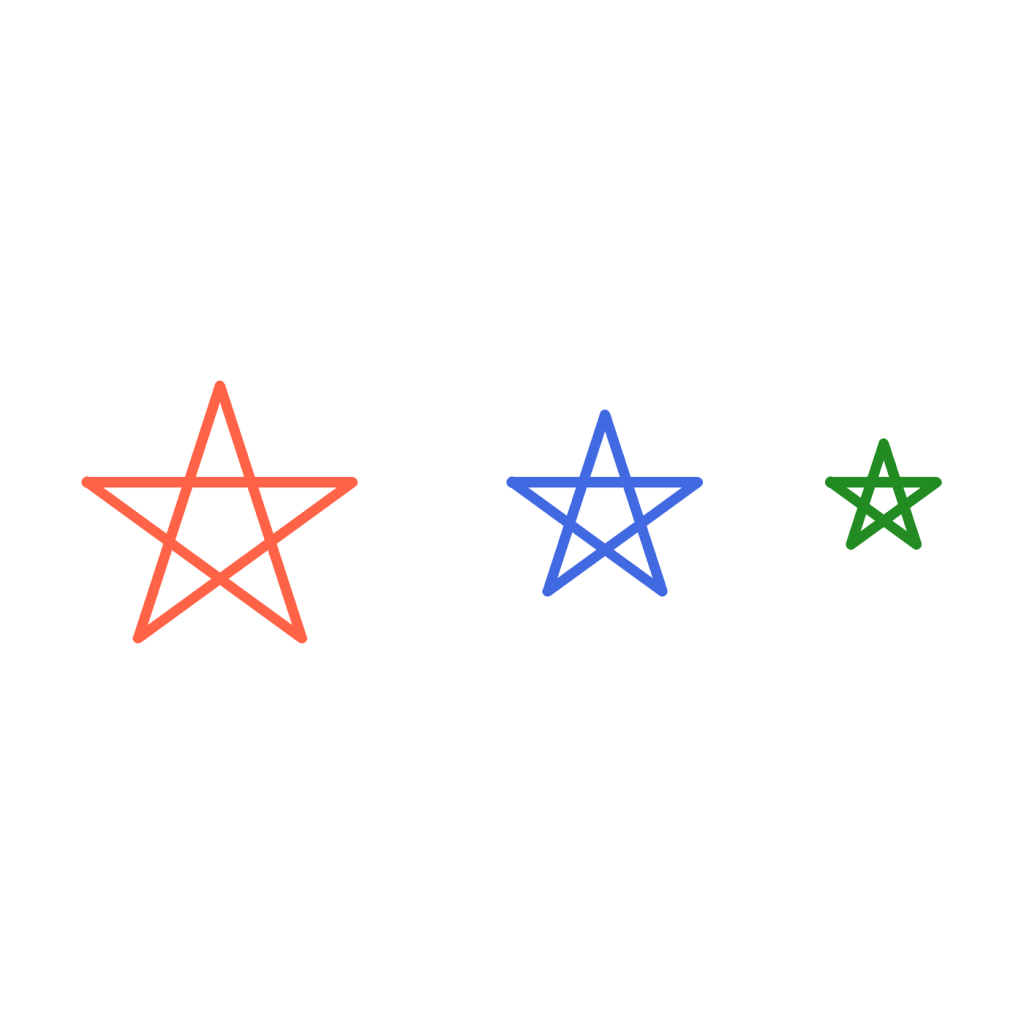
The turtle turns 144 degrees after each line, which makes it zig-zag across the star. Each call to star gets its own size and colour, so we get three different stars from the same recipe. The move_to function lifts the pen (penup), jumps to the spot with goto(x, y), and puts the pen down again.
A flower function
Here is a petal recipe. Each petal is made from two curved lines, using t.circle(60, 60), which draws a curve of 60 degrees from a circle with a radius of 60. After each petal, the turtle turns a little so that the petals fan out all around.
import turtle

t = turtle.Turtle()
t.pensize(3)

def move_to(x, y):
    t.penup()
    t.goto(x, y)
    t.pendown()

def flower(petals, colour):
    t.pencolor(colour)
    for petal in range(petals):
        t.circle(60, 60)
        t.left(120)
        t.circle(60, 60)
        t.left(120)
        t.left(360 / petals)

move_to(-180, 0)
flower(8, "hotpink")
move_to(0, 0)
flower(5, "darkorange")
move_to(180, 0)
flower(12, "mediumpurple")

turtle.done()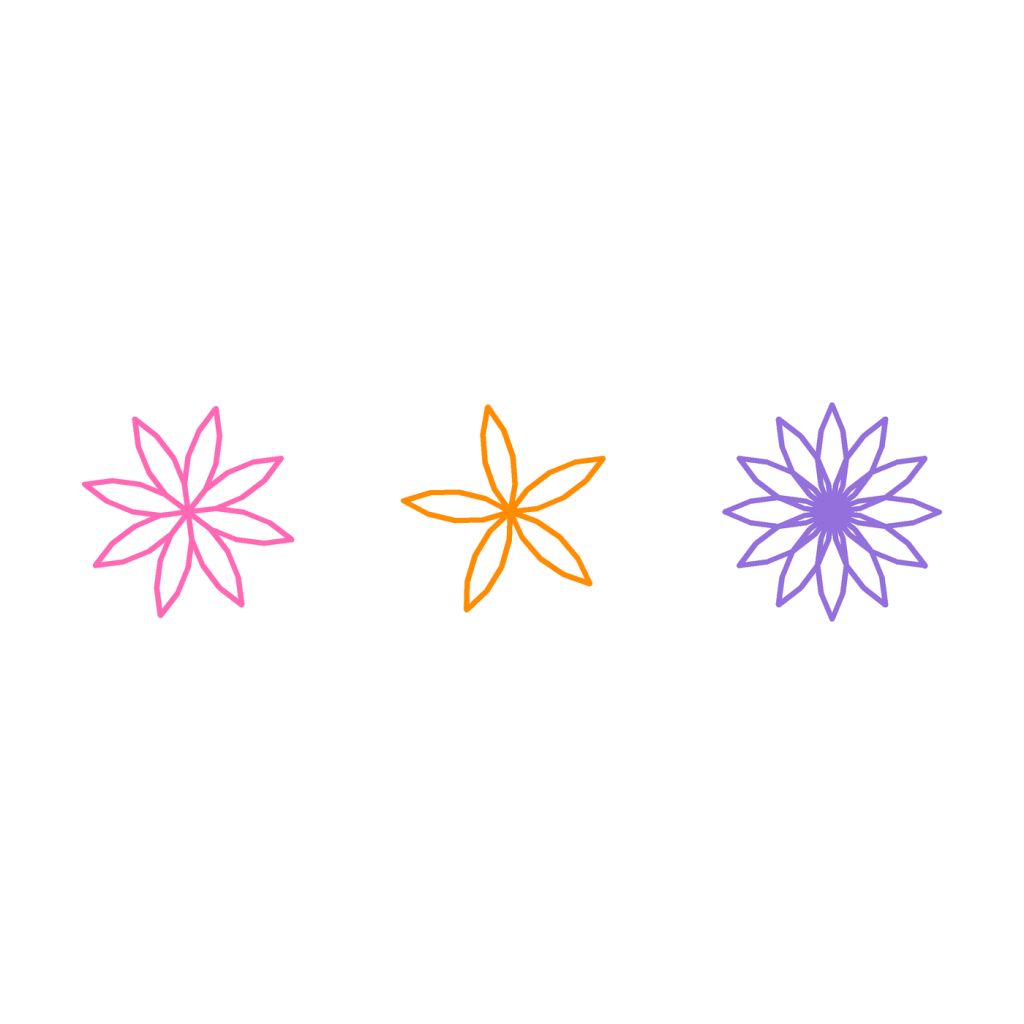
Each flower starts at the spot we jumped to, and flower(8, "hotpink") means “draw 8 petals in hot pink”. The turn between petals is 360 divided by the number of petals, so the petals always spread evenly around the full circle.
Did you know? Programmers have a rule called DRY: “Don’t Repeat Yourself”. Functions are the main tool for keeping to it. Big programs, like games and websites, are built from thousands of small functions that each do one job.
Challenges
Try it Write a function called square that takes a size parameter and draws a square. Call it three times with sizes 50, 100 and 150.
Show a hint
Put the loop from lesson 1 inside def square(size): and use size instead of 100 in t.forward.
Show the answer
import turtle

t = turtle.Turtle()
t.pensize(3)
t.pencolor("seagreen")

def square(size):
    for side in range(4):
        t.forward(size)
        t.left(90)

square(50)
square(100)
square(150)

turtle.done()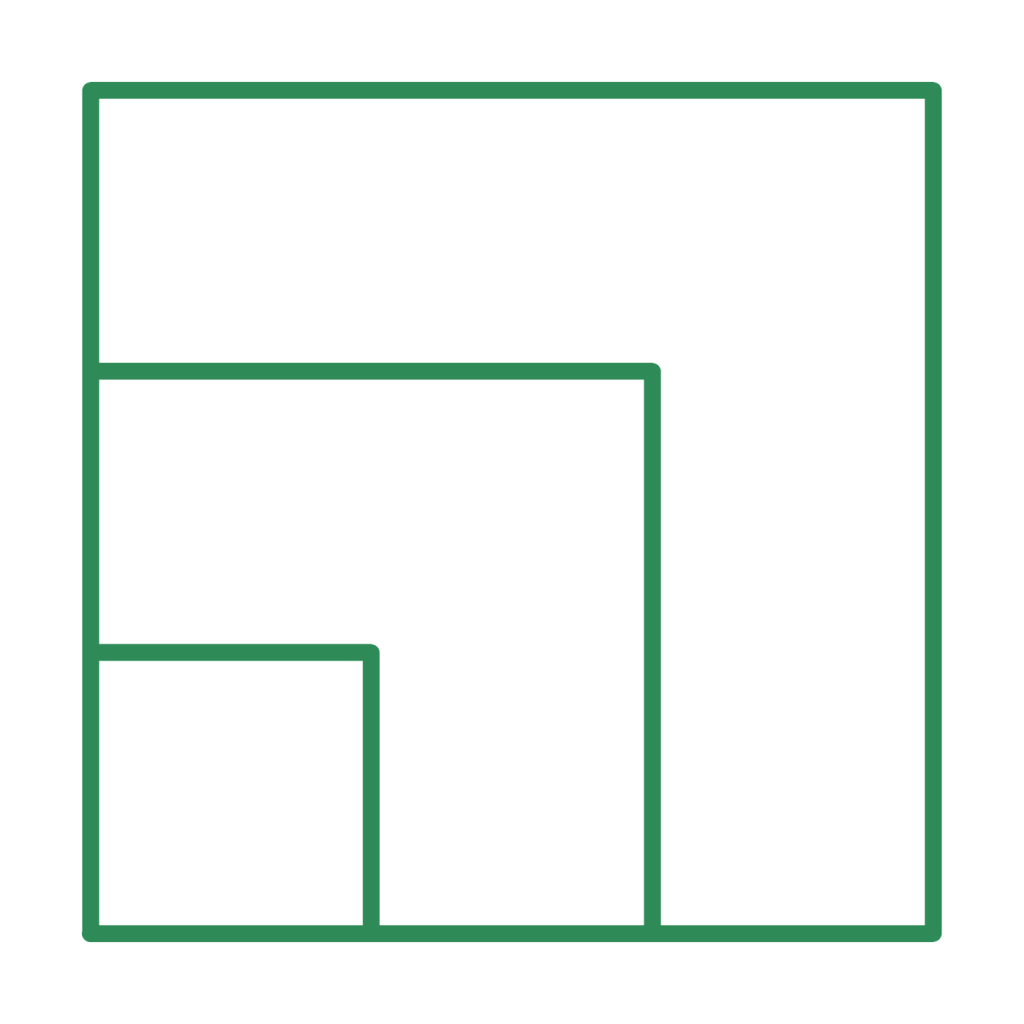
Try it Write a function called shout that takes a word and prints it in capital letters followed by an exclamation mark. Use word.upper() to make capital letters. Call it with “hello” and “pixel”.
Show the answer
def shout(word):
    print(word.upper() + "!")

shout("hello")
shout("pixel")
HELLO! PIXEL!
Try it Write a function called triple that returns a number multiplied by 3. What does print(triple(7)) show?
Show the answer
def triple(number):
    return number * 3

print(triple(7))
21
What you learned
defteaches Python a new word. The indented lines are the function body.- You use the new word by calling it, such as
say_hello(). - Parameters let a function work with different information each time.
returnhands an answer back from a function.- Functions save you from repeating yourself and keep your code tidy.