
Track: Block Coding · Lesson 5 of 10 · Ages: 6+ · Time: 35 minutes
Before you go outside, you ask yourself a question: “Is it raining?” If the answer is yes, you take an umbrella. If not, you leave it at home. You make choices like that all day long. Computers can make choices too, and the blocks that let them do it are called conditionals.
Beep says I do not know if it is raining. I cannot see the sky. But if you give me an if block, I will check the answer and do the right thing. Beep boop!
What you need
- A block-coding app that a grown-up has helped you open.
- Beep and Pixel as two characters.
- About 35 minutes.
Grown-ups Conditionals are one of the biggest steps in programming. Notice the shape of the blocks: the condition is the question, and the blocks inside are the answer. A good way to check understanding is to ask “What would the computer do if the answer were no?” Our first examples use “touching” and a key press, which every block app has in some form. The names of the blocks may differ slightly in your app.
Words to know
- A condition is a question with the answer yes or no, such as “Is Beep touching Pixel?”
- An if block does its inside blocks only when the answer is yes.
- An if-else block does one set of blocks for yes, and a different set for no.
Decisions in real life
Here is the umbrella decision drawn as a flowchart.
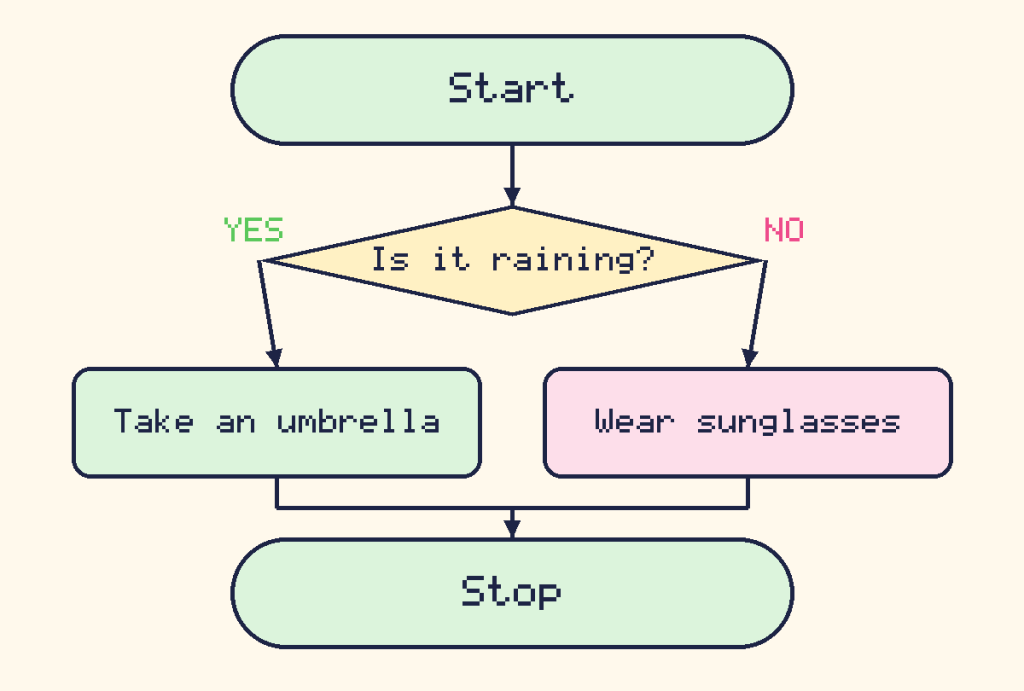
The question is the condition. The two paths are the two choices.
Bouncing at the edge
Beep needs to stay on the stage. Many apps have a special block that does the checking for you. It is a conditional with the question already built in: “if I am on the edge, bounce back.”
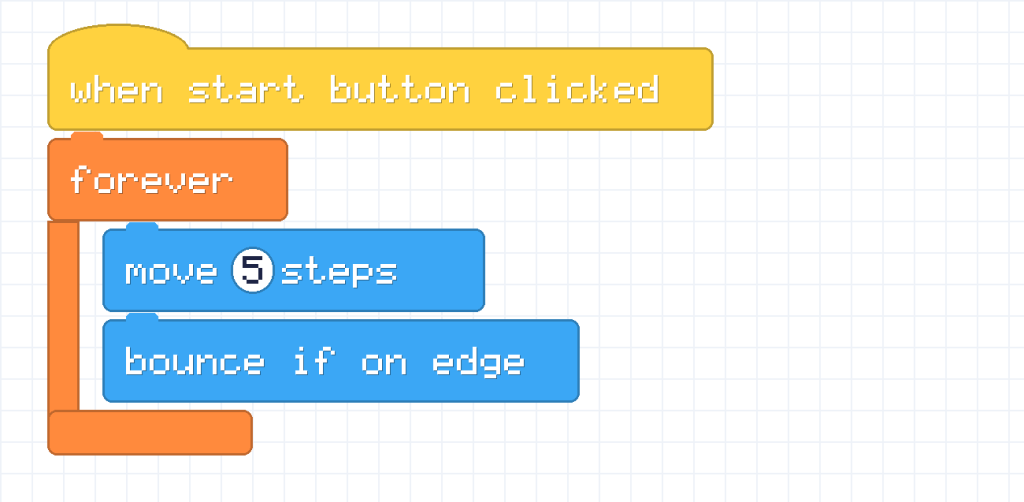
Beep walks 5 steps, checks if it has reached the edge, and bounces away if it has. Because everything is inside a forever loop, Beep does this again and again, so it bounces back and forth for as long as you like.
Pixel says Here is a bug I found. You might want to build your own check with “if touching edge, turn around”. But a character can still be touching the edge after one step, so it keeps turning and gets stuck. The built-in bounce block is cleverer. Use it! Meow!
An if block: did Beep catch Pixel?
Let’s make Pixel run around the stage, bouncing. Put this script on Pixel:

Now put this on Beep. The question in the pointed brackets is the condition. The question is “Are you touching Pixel?”
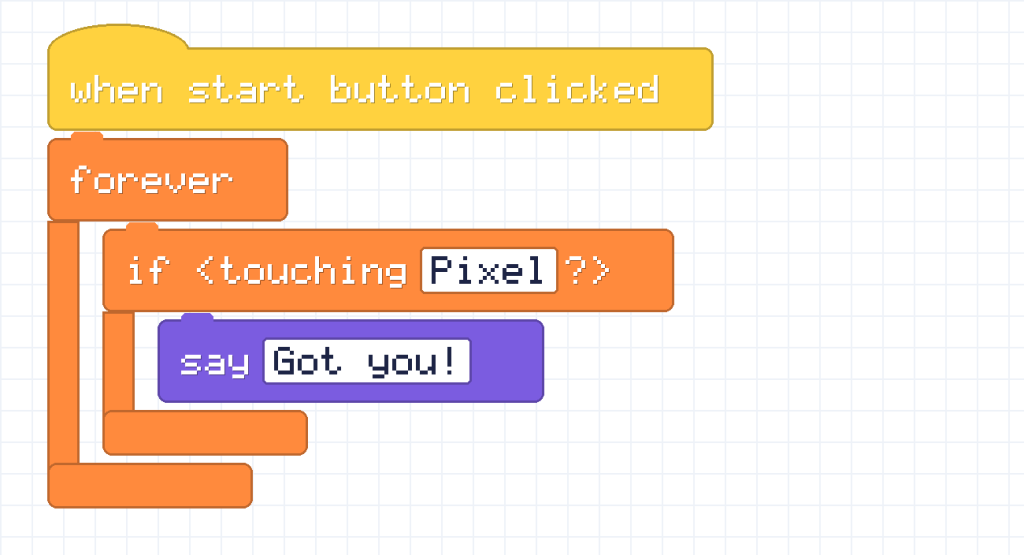
Beep keeps asking the question, over and over. Most of the time the answer is no, so nothing happens. The moment Beep touches Pixel, the answer is yes and Beep says “Got you!”. Use the arrow key scripts from the last lesson to steer Beep towards Pixel. You can add two more scripts that change y, so Beep can go up and down too.
An if-else block: two answers
An if-else block always does something. If the answer is yes it does the top group, and if the answer is no it does the bottom group.
In your app, the if-else block is one C-shaped block with two mouths. The top mouth is for “yes” and the bottom mouth is for “no”. Written out in words, Beep’s script looks like this:
when start button clicked
forever
    if touching Pixel
        say "Got you!"
    else
        say "Where is Pixel?"
Here is the same decision as a flowchart:
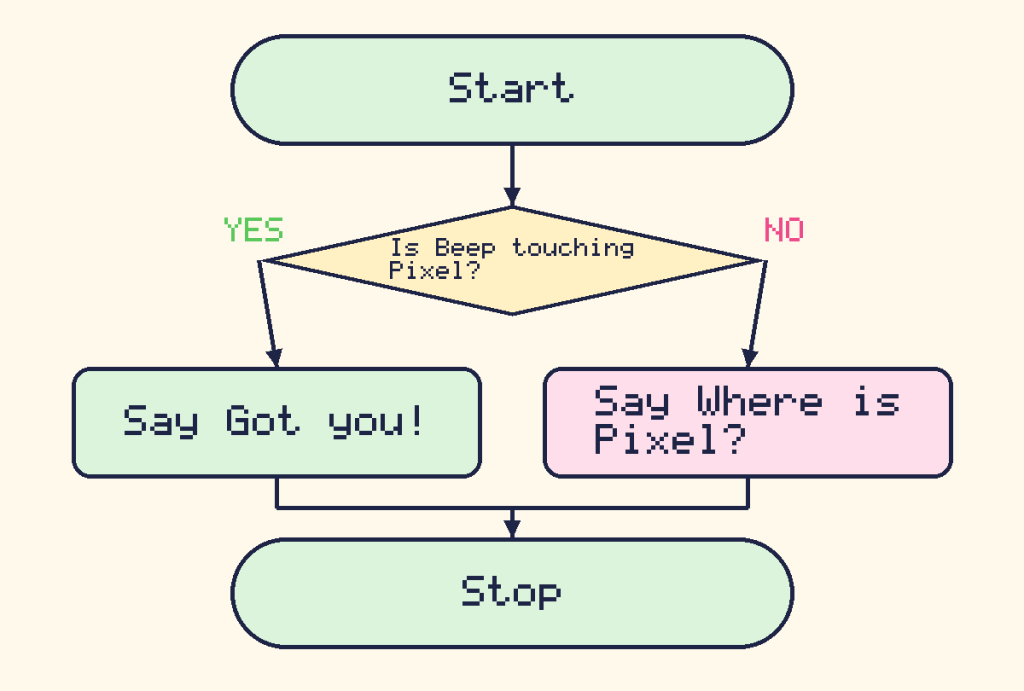
Now Beep always has something to say. Whenever it is not touching Pixel, Beep says “Where is Pixel?”. Touching Pixel changes the message to “Got you!”.
Challenges
Try it Change the if-else script so Beep says “Hello!” when you hold the space key and “Zzz…” when you do not.
Show a hint
Swap the question in the if block. Look for a question block that asks if a key is pressed.
Show the answer
when start button clicked
forever
    if key space pressed
        say "Hello!"
    else
        say "Zzz..."
Beep says “Hello!” while the space key is down. As soon as you let go, it says “Zzz…”.
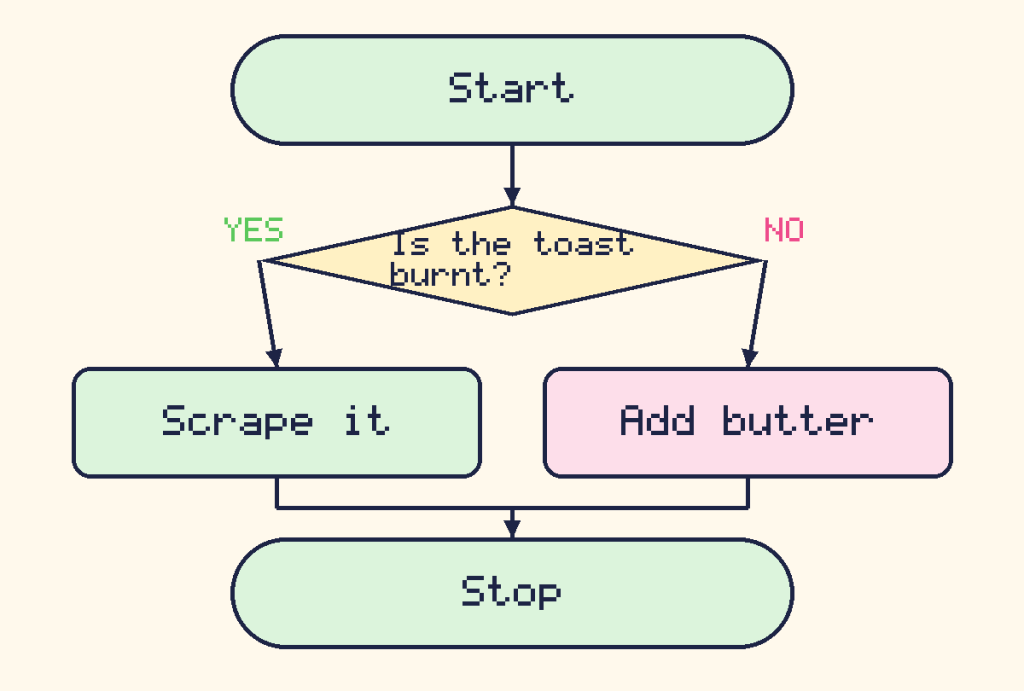
Try it Draw a flowchart on paper for this decision: “If the toast is burnt, scrape it. Otherwise, add butter.” Which part is the condition?
Show the answer
The condition is “Is the toast burnt?”. The yes path is “Scrape it” and the no path is “Add butter”.
Did you know? Every video game is full of conditionals. “If the player touches a coin, add a point.” “If the health is zero, show game over.” Hundreds of tiny decisions happen every second!
What you learned
- A condition is a question that is answered yes or no.
- An if block does its inside blocks only if the answer is yes.
- An if-else block picks one of two groups of blocks.
- Putting an if inside a forever loop makes the computer keep checking.